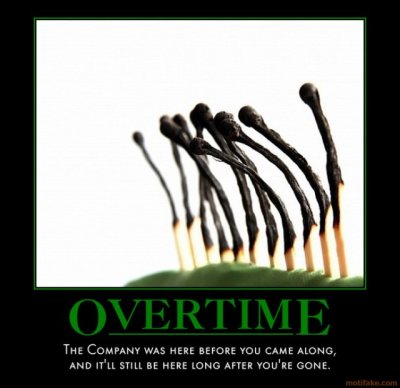
A while back, I read a blog post on Big Bang Technology’s blog written by Max Cameron titled “Why We Don’t Work Overtime“. I will give a full disclaimer here at the outset, I probably work too many hours, so I have a little bit of skin in this game. Namely, I could be accused of only responding because my work choices were being invalidated by someone else. That certainly isn’t my impetus for this blog. I merely wanted to offer a different perspective to Max Cameron’s blog post.
Cameron is writing from the perspective of a Startup Company. He does make an exception to the overtime rule for the founders, but for his employees he says,
There are no heroes at our office. When the clock strikes five,
the team goes home. If they try to keep working, I tell them that
the game's over and they lost. They either put too much on their
plate, got taken off-task, or were wasting time. None of those
justify working past five, on a holiday, or over a weekend.
I certainly applaud his motiviations. He sticks to this rule even when clients ask for it, when they’d need it to win new business, etc. It is one of his company’s core values and they stick to it. Everyone realizes that when an employee (especially a salaried one) works overtime, he is “doing more than he agreed to” and is “taking away family time” and “upsetting the work/life balance”. However, what I find interesting are some of the reasons that their company takes that choice away from their employees.
One major reason that Cameron cites is that to persuade employees to work overtime, the noble concept of “sacrifice” is invoked. In his mind, soldiers, firefighters, and police officers sacrifice, and to try to align that concept with “expected overtime” is a dangerous habit to get in to.
He points out that the employees who work over are the “heroes” and those who don’t are “losers who let you down”. In his words, “Yearly reviews just got a whole lot easier”. Later he says, “How could I promote a loser when they’re surrounded by winners?”.
I want to deal with that point first. He is obviously being rhetorical and a little sarcastic with those last quotes, arguing his point to ad absurdum. However, I think there is a point to be investigated there. My current boss has taught me a lot about managing people and the value of making “the hard decision”. It sounds to me like Cameron is welching a little bit on managing employees. Sometimes, you have to make the hard choices. As my boss likes to say, “Who do we pay to do the hard stuff?”.
Imagine on one hand that you have an employee who works only 40 hours and is very productive, gets along well with others, is a leader, and so on. Now, imagine you have another employee who works a ton of overtime, but you know that it is because he isn’t very efficient. He has a good work ethic and to make up for his lack of efficiency (and “social time” during work hours), he tries to even it out with that overtime. Now, if you are a manager who can’t promote Mr. Productive Forty and explain to Mr. Compensating why he didn’t get the job, you aren’t much of a manager and should rethink your career path.
Let’s pretend there is another scenerio. This time, you have two very equal employees. One of them is a “5:01 Developer” (gone by 5:01 every day) and the other works over to make sure things get done on time, or to add special features off of the “nice to have” list that never gets prioritized ahead of “big projects”. In that case – all else being equal – why wouldn’t you promote the overtime guy?
These kinds of decisions are why you are the person writing the reviews.
A point that Cameron makes alongside this one is the concept of burnout. This is definitely a very real problem. However, I feel that he’s again arguing to take the “copout” path. He seems to be claiming that it is impossible or would require too much work to monitor and make sure that his employees aren’t burning out. There is a big difference between running a guy at 80+ hours a week for months at a time, working 1 or 2 60-70+ hour weeks before huge release, and regulary working 50 hours a week because that’s what you are comfortable working.
As I admitted earlier, I definitely work overtime. I am soon taking my first vacation week in years (only because the company stopped paying out for unused time – I have to “use it or lose it” and I’m too practical for that 😉 ). However, I’ve been going at this pace for about five years straight now, across 2 companies. I’m not close to burnout. You can’t manage people homogeneously, you have to manage to the individual. I’m more of a sports car, not a minivan, there is no danger of running the engine at a little bit higher speeds.
I’m not bragging. My point is that I’m different than other people and a team needs all kinds of people on it. The Apostle Paul actually writes to this point quite eloquently in the Bible in 1 Corinthians 12:14-21:
Even so the body is not made up of one part but of many.
Now if the foot should say, "Because I am not a hand,
I do not belong to the body," it would not for that reason
stop being part of the body. And if the ear should say,
"Because I am not an eye, I do not belong to the body," it
would not for that reason stop being part of the body.

If the whole body were an eye, where would the sense of hearing be?
If the whole body were an ear, where would the sense of smell be?
But in fact God has placed the parts in the body, every one of
them, just as he wanted them to be. If they were all one part,
where would the body be? As it is, there are many parts, but one body.

The eye cannot say to the hand, "I don't need you!" And the head
cannot say to the feet, "I don't need you!"
There are things I do well and things that I don’t do well, and I realize that I don’t always see them clearly. The way that that is remedied is that my team is made up of all sorts of people. The person building the team knows what he has, and fills the gaps appropriately. The fact that I can easily work 50 hours a week or more without burning out is just a tool that my company has at its disposal, just as all of the other skills of employees are at their disposal.
One point that I just could not grasp in Cameron’s blog post was the fact that he is willing to let his clients down because of this overtime policy. Even if the work completed because of overtime would win their clients more business or help solve a serious problem that they are having, overtime is still off limits.
I see nothing wrong with working over to win new business, for you or for one of your clients. Your client has likely worked with others who cannot deliver these things and you make yourself indispensible to him as someone who can deliver them. But again, there is the potential for abuse, but that relies on your client service managers or account representitives to “do the hard stuff” of recognizing and stopping abuse before it gets anywhere.
As I was discussing this topic with a good friend of mine, he pointed out to me that one problem he had with overtime was that it “excused” or “covered up” poor planning. For instance, if a project was projected to have 15 features and be delivered in 2 months, but was estimated poorly, that can be a problem. Proper Agile philosophy is to have the business either extend the date based on the metrics from the iterations, or cut features. Another approach is for it to still spend the hours, but spend them in 60, 70, or 80 hour weeks to meet the deadline. That’s a “death march” and no one really wants that.
However, sometimes it is politically expedient to deliver the project by working the overtime. Not everyone works at a company that can afford to turn down external clients or at a consultancy that can easily refuse work. A good deal of software development is done as part of an “in-house” shop that develops software for “an enterprise”. There are 100 ways that you can curry favor by seemingly doing the impossible and those who don’t see the value in that don’t have a very mature view of the “real world”.
However, the issue then comes if you don’t learn a lesson about your estimating and back yourself into those kinds of corners on project after project. Again, I fall back on “Who do we get to do the hard stuff?” If your Project Managers can’t control these projects from the outset, you probably have the wrong people in there.
This has definitely been one of my longer rants and I know that a lot of people will disagree with me. Feel free to leave a comment below, or blog your own responses. If you do a reaction blog, please link it in the comments so that I can read the discourse and the other readers may benefit, as well.